Build your Gamified Dad App
Tap-to-copy web version: team-scorecard-kit.pages.dev
Turn being a dad into a game you can actually win. In about 15 minutes, Claude builds you a personal app for the habits that matter to your family, with your family on the icon.
What you need
- The Claude app (free from the App Store or Google Play) or claude.ai. Only have ChatGPT? That works too, see step 1b.
- 15 minutes and an honest answer to "what kind of dad do I want to be?"
- Optional: an Apple Watch or iPhone for automatic steps, and a family photo for your icon
Build your app
10 min- Open Claude and start a new chat.
- Tap Copy below and paste the whole prompt into the chat.
- Answer Claude's questions. Be honest and specific: kids' names, your real schedule, what you already do well.
- Confirm the plan Claude shows you. It builds your app right in the chat.
I want you to build my own family habit scorecard: a small app I'll use every day on my phone to track the habits that make me a better dad, partner and person. It should feel like a game I can win, not a to-do list that makes me feel behind.

STEP 1: INTERVIEW ME FIRST
Ask me these in small groups and wait for my answers. Don't build anything yet.
1. My first name and last name. The app will be called "Team [my last name]".
2. The roles that matter most to me right now (for example: dad, husband, faith, health, work, friend). Pick 3 or 4.
3. My kids' names and ages, and my partner's name (I can skip any of these).
4. What I already do well that I want to keep counting. These are my "anchors".
5. The 4 to 6 habits I want to build. For each one, help me set:
   - the minimum version for a hard day (this still counts as a win)
   - the full version for a good day
   - a realistic weekly target (like 3 times a week, not every day)
   If I'm stuck, suggest ideas based on my roles and kids' ages. If I pick more than 6 habits or targets that look unrealistic, push back kindly.
6. My weekly rhythm: practices, games, church, date nights, work travel, anything my habits should work around.
7. Do I want to track daily steps from an Apple Watch or iPhone? If yes, what's my goal and my bad-day floor?
8. The look and vibe of my app. Offer me a few options (like sports scoreboard, clean and minimal, warm and cozy, dark mode, outdoorsy, faith-forward) and ask for my favorite colors or team colors.

STEP 2: CONFIRM THE PLAN
Show me a short summary of my roles, anchors, habits (minimum, full, weekly target) and the look. Ask me to confirm or change anything before you build.

STEP 3: BUILD THE APP
Build it as a single interactive artifact that works great on a phone, with big tap targets:
- Title "Team [my last name]" at the top.
- Day picker under the title: 7 day cards for the current week, today highlighted, tap a day to edit it, arrows to move between weeks. Small dots on each card show how many habits I hit that day.
- Daily check-in for the selected day: yes/no habits as toggles, habits with a minimum and full version as None / Min / Full buttons, a steps number field with my goal and floor (if I track steps), and a "one good moment" note.
- Week score: each habit as count/target with dots, plus an overall week percent (the average of each habit's progress, capped at 100% per habit). Minimums count as a hit.
- Week grid: habits down the side, days across.
- If I have kids: a "Next up" hint for one-on-one time that rotates to whichever kid had it least recently.
- Sunday review: three questions saved for each week. "Where did I show up well this week?" "Where did I fall short, and why? No beating yourself up." "What's the one thing I'll do differently next week?"
- A "Last 8 weeks" bar chart of my week scores.
- Steps link: if the app is opened with a link that ends in #steps- followed by a number (for example #steps-8432), set TODAY's steps to that number, save it, and show "Steps updated: 8,432". An iPhone Shortcut will open my app this way.
- Save everything so it's still there when I close and reopen the app. Use your built-in persistent storage for artifacts if it's available; if not, save in the browser. Tell me which one you used.
- Style it to match the vibe and colors I picked, and make it look good in light and dark mode.

STEP 4: HAND IT OVER
When it's built, tell me:
- how to open my app again from my phone, and how to get a link to it (I need the link for the steps Shortcut)
- that I can change anything later by just asking you, like "add reading 4 times a week" or "make it navy and gold"
Test it before you trust it. Check off one habit, close the app, and open it again. If your check-off is gone, tell Claude: "My check-offs aren't saving when I reopen the app. Please fix saving." Saving between visits can depend on your Claude plan and device.
Only have ChatGPT?
+5 minThe same prompt works in ChatGPT. The difference: ChatGPT doesn't keep the apps it builds as something you can reopen from a link, so you'll put your app online yourself, free, in a couple of minutes.
- In ChatGPT, paste the master prompt, then paste this line right under it before you send:
I'm using ChatGPT, not Claude. Build the app in canvas as ONE complete, self-contained HTML file (all CSS and JavaScript inside it, no outside services). Save everything in the browser's localStorage. When it's done, give me the full file so I can download it as index.html.
- Answer the questions, confirm the plan, and download the finished file as index.html. If ChatGPT only shows code, ask: "Give me this as a downloadable index.html file."
- On a computer, go to app.netlify.com/drop, sign up free, and drag the file in. Netlify gives you a link like your-name.netlify.app. That link is your app.
- Open the link in Safari on your phone. Your check-offs save on that phone. Use that link for the steps Shortcut in step 3.
- Want changes later? Ask ChatGPT for an updated file and drag it onto your Netlify site again. Your saved check-offs stay on your phone.
Keep your link the same. Your data is tied to your app's web address. Always update the same Netlify site instead of making a new one, or your history won't carry over.
Make it yours
AnytimeThis isn't my scorecard. It's yours. Claude asks about your life before it builds anything, so the more real you are, the better it fits. Change anything later by just telling Claude what you want, in plain words.
Pick a vibe
Habit ideas to steal
- One-on-one time with each kid
- Backyard practice (10 min min, 30 min full)
- Bedtime, phone in another room
- School drop-off or pickup
- A date each week (at home counts)
- 10 minutes of real talk, no phones
- Take one thing off their plate
- Bible or devotional, 4 times a week
- Pray with the kids at bedtime
- Read 10 pages
- 10,000 steps (6,000 floor)
- Walk after dinner as a family
- 2 strength sessions a week
Things to say to Claude later
- "Add [habit] [X] times a week, with a minimum of [Y]."
- "Change the colors to [colors] and make it feel more [vibe]."
- "Add my new baby, [name], to the kid rotation."
- "Show a verse of the week at the top."
- "My target for [habit] was too high. Drop it to [X]."
Not a dad? Moms, grandparents and single folks use this too. Tell Claude your roles in step 1 and it builds around your life.
One-tap steps
5 min · iPhoneAn iPhone Shortcut reads today's steps from Apple Health, opens your app, and fills them in. Add it to your home screen and it becomes your app icon. No iPhone? Skip this and type your steps in each night.
- Get your app's link from Claude (step 1 told you how) and copy it.
- Open the Shortcuts app. Make sure you're on the Shortcuts tab, not Automation, and tap +.
- Search for Find Health Samples and add it. Set it to: Type is Steps, Start Date is today, Group by Day, Fill Missing off.
- Tap Add Filter and set it to Source is your Apple Watch. Without this, your watch and phone steps get counted twice. No watch? Pick your iPhone. Check the number in the preview matches the Health app.
- Add Calculate Statistics, set to Sum.
- Add Round Number. "Round Sum to Integer" is right.
- Add URL. Tap the gray placeholder text, paste your app link, and type #steps- at the very end. With the cursor after the dash, tap Rounded Number in the bar above the keyboard.
- Add Open URLs, then tap ▶ to test. Your app should open with today's steps filled in.
Your link should look like this, with the blue Rounded Number chip at the end:
https://[your app link]#steps- [Rounded Number]
Use Whoop, Garmin, Oura or Fitbit? If that app syncs to Apple Health, this works too. Turn on its Apple Health sync in the app's settings and allow it to write Steps. Then open Health, tap Steps, then Data Sources & Access, and check the app is listed with numbers that look right. In step 4, pick that app as the Source instead of your Apple Watch. Some devices only send workouts, heart rate and sleep to Health, not steps, so do that check first.
On Android? Android doesn't have a built-in Shortcuts app that can read Health Connect, Google Fit or Samsung Health and open a link. Type your steps in when you check in at night. It takes five seconds. To get an app icon on your home screen, open your app link in Chrome, tap the ⋮ menu, then Add to Home screen.
Renaming it: the title at the top of the editor shows the action you're looking at, not the shortcut's name. Go back to your shortcuts list, long-press the shortcut, and tap Rename.
Your family on the icon
5 min- Open ChatGPT (the free version can make images). Claude can't make images yet.
- Attach one or two clear photos of your family where everyone's face is visible.
- Copy the prompt below, swap in your family and the symbol in the middle, and send it.
- Save the image to your photos.
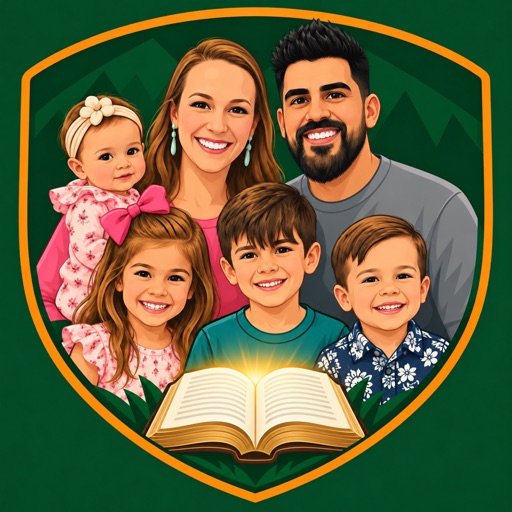
Using the attached photo(s) of my family, create a square app icon in the style of a modern sports team crest: a bold, clean flat vector illustration. A rounded shield badge in [deep green] with a thin [warm orange] border. Inside it, our whole family as simple flat-color cartoon portraits with recognizable likenesses: [describe everyone, for example: dad with short dark hair and a full beard, mom with long light-brown hair, a 7-year-old boy, a 5-year-old girl with a pink bow, a toddler girl with a headband]. Everyone shoulder to shoulder and smiling, with [an open Bible / a soccer ball / a football / a fishing rod / something that represents our family] at the bottom center. Fill the frame so it reads clearly at small home-screen size. No text, letters, numbers or logos anywhere. Square 1:1 image.
Put it on your home screen: in Shortcuts, open your steps shortcut, tap the share button, then Add to Home Screen. Tap the small icon, choose Choose Photo, pick your crest, name it Team [Your Last Name], and tap Add.
Run the play
Every week- Daily, 30 seconds: tap your icon at night, check off what you did, add one good moment.
- Sunday, 15 minutes: answer the three review questions. Set a weekly reminder on your phone so you don't skip it.
- Every quarter: ask your partner and kids, "What's one thing I could do more of?" Their answer beats any metric.
- Start small. Live with your first habits for 2 to 3 weeks before adding more. A 70% week you repeat beats a 100% week you burn out on.
If this helped your family
This kit is free and always will be. If it helped, a tip helps me keep building tools like this for dads. Never expected, always appreciated.
Leave a tip on Ko-fiTag @bengarseeya on Instagram with your icon. I want to see your team.